
Introduction
Great to see you here! 🙏 In this page, I want to provide you a good starting point to understand the Bricksforge concepts. Bricksforge has a modular approach. This means that you can enable or disable any of the modules that you want to use. If no modules are enabled, Bricksforge will not do anything and not load any additional resources. This makes it really performant and lightweight, because you only load the modules that you need. To access the Bricksforge Admin Area, click on Bricks -> Bricksforge
Enabling Modules
You can find different areas in the Bricksforge dashboard where you can enable or disable modules.
Elements
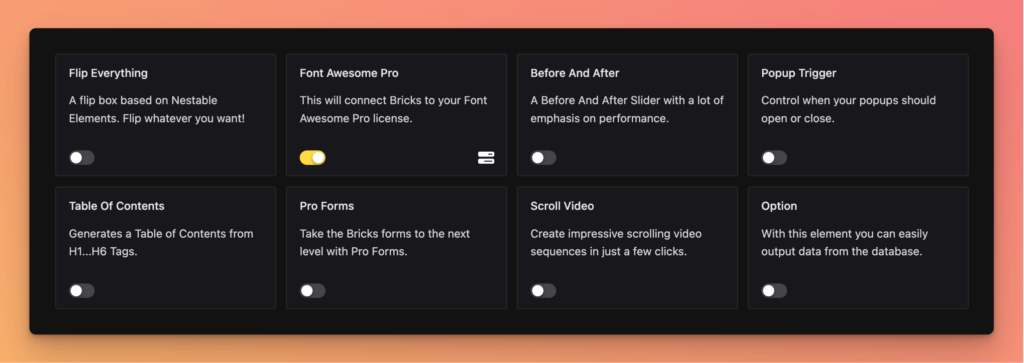
Here you can enable or disable the different elements that you want to use. Only the elements that you enable will be loaded. Some elements can have settings. If you enable an element that has settings, you will see a Settings Icon which you can click to open the settings.
Extensions
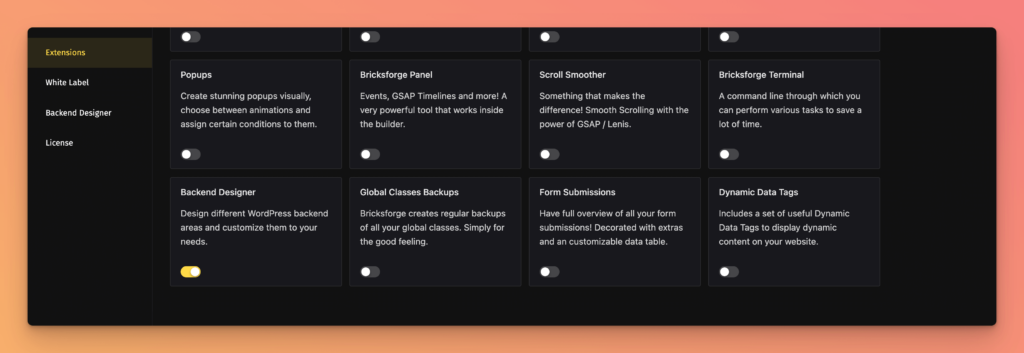
Here you can enable or disable the different extensions that you want to use. Like with the elements, some extensions can have settings. Also, there are some extensions that are including additional menu items in the Bricksforge Dashboard. For example: Activating the Extension Backend Designer, a new menu item will appear in the Bricksforge Dashboard called Backend Designer.
Single Features
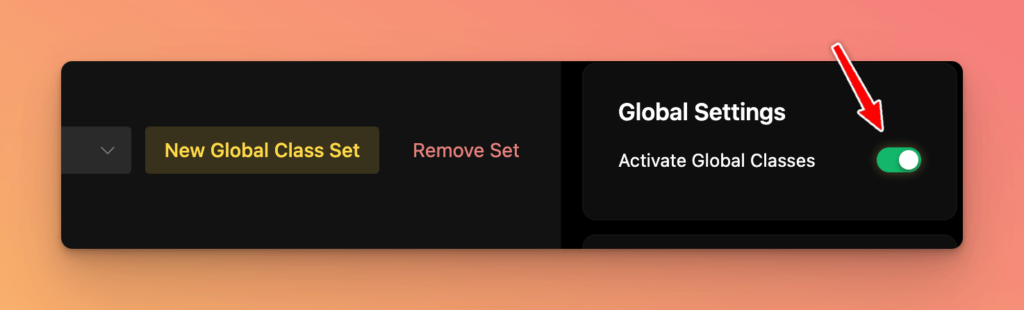
Some areas in the Bricksforge Dashboard have single features that you can enable or disable. For example: After setting up a new Global Classes Set, the classes are not automatically available. You need to enable the Global Classes feature to make them available. You will find the related toggle in the right sidebar.
Documentation
For further informations about specific functionalities, check out the official documentation.